Introduction
Tools recommended by the author (important for this analysis):
- Whois
- VirusTotal
- MalwareBazaar
- ThreatFox
Q1: Categorizing malware allows for a quicker and easier understanding of the malware, aiding in understanding its distinct behaviors and attack vectors. What’s the identified malware’s category?
Submit the file hash to VirusTotal and review the main summary page.
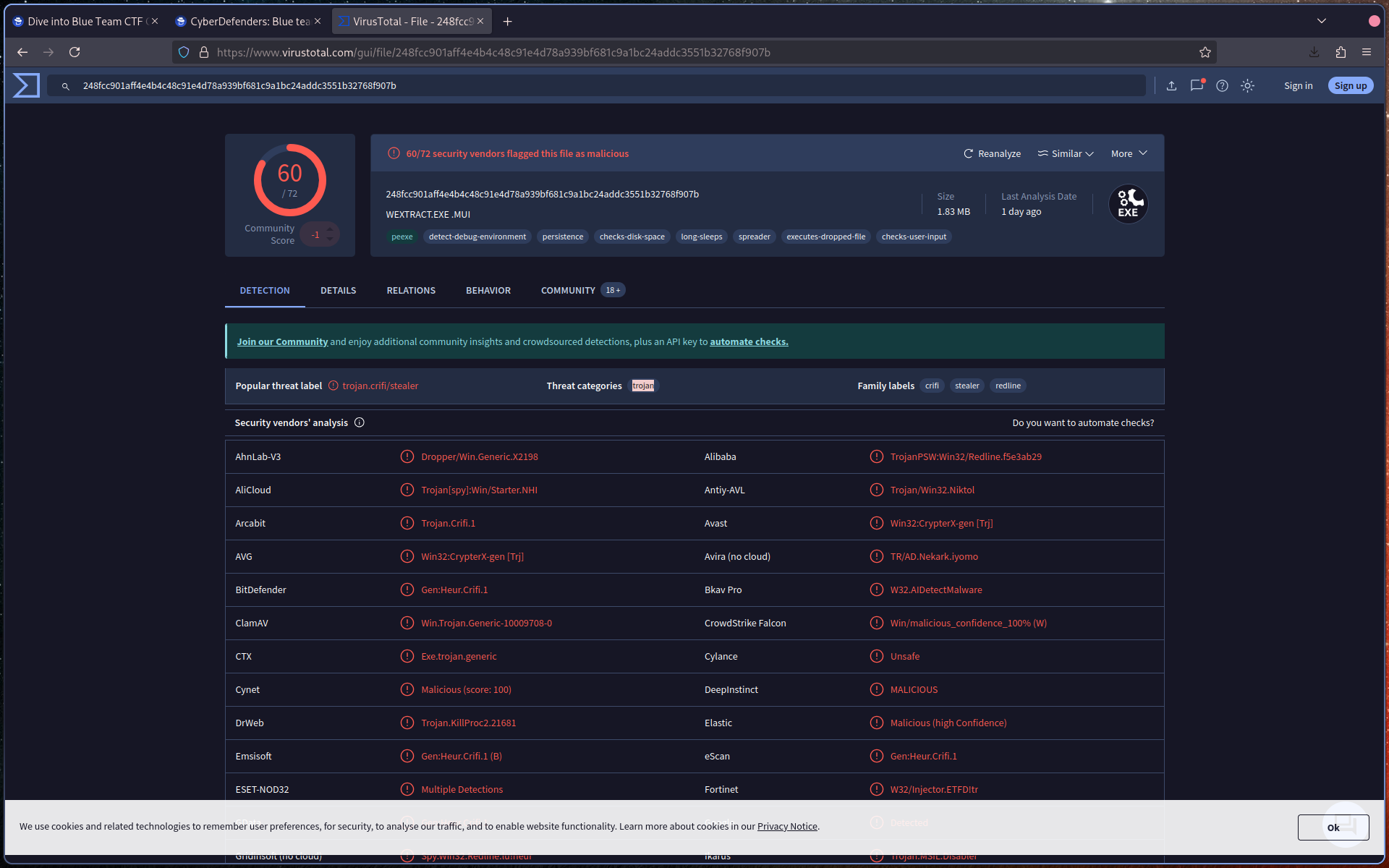
Identify the malware category based on detection labels and classification.
Q2: Clear identification of the malware file name facilitates better communication among the SOC team. What’s the file name associated with this malware?
On the VirusTotal main/detection page, locate the file details.
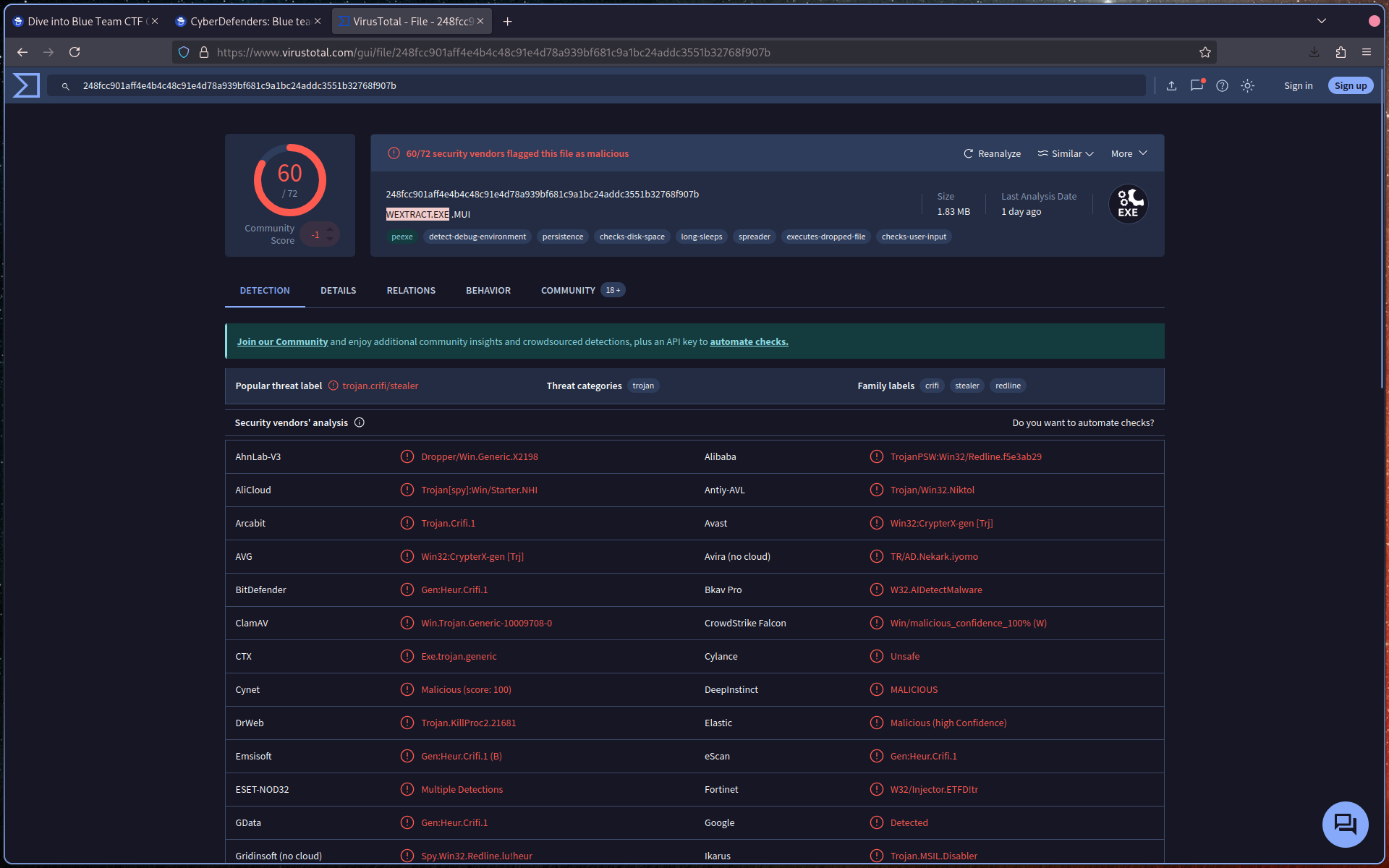
Identify the file name associated with the malware.
Q3: Knowing the exact time the malware was first seen can help prioritize actions. If the malware is newly detected, it may warrant more urgent containment and eradication efforts compared to older, well-known threats. Can you provide the UTC timestamp of first submission of this malware on VirusTotal?
Navigate to the Detection tab in VirusTotal.
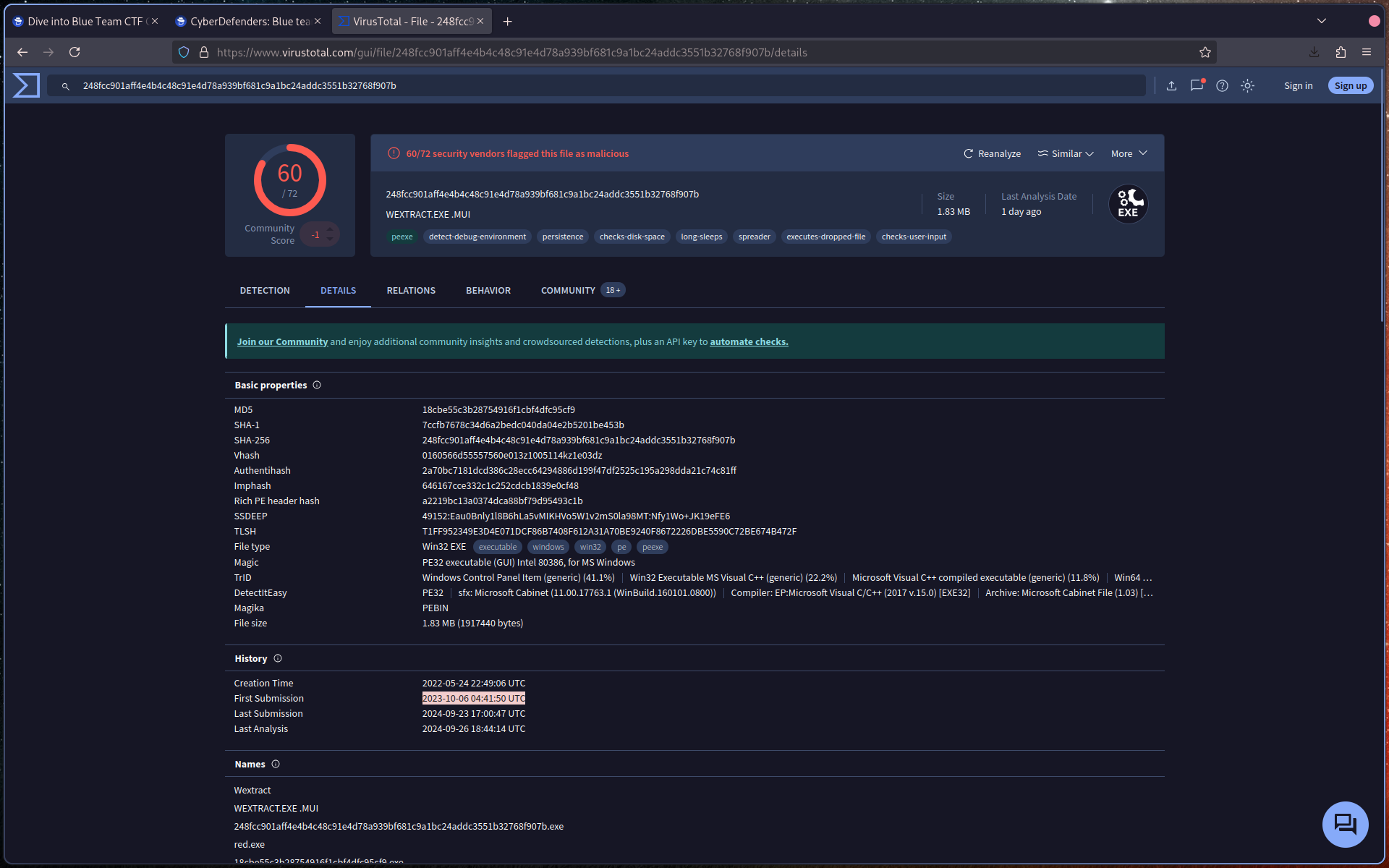
Locate the first submission timestamp and ensure it is in UTC format.
Q4: Understanding the techniques used by malware helps in strategic security planning. What is the MITRE ATT&CK technique ID for the malware’s data collection from the system before exfiltration?
In VirusTotal, go to the MITRE ATT&CK section.
Navigate to:
Collection → Data from Local System
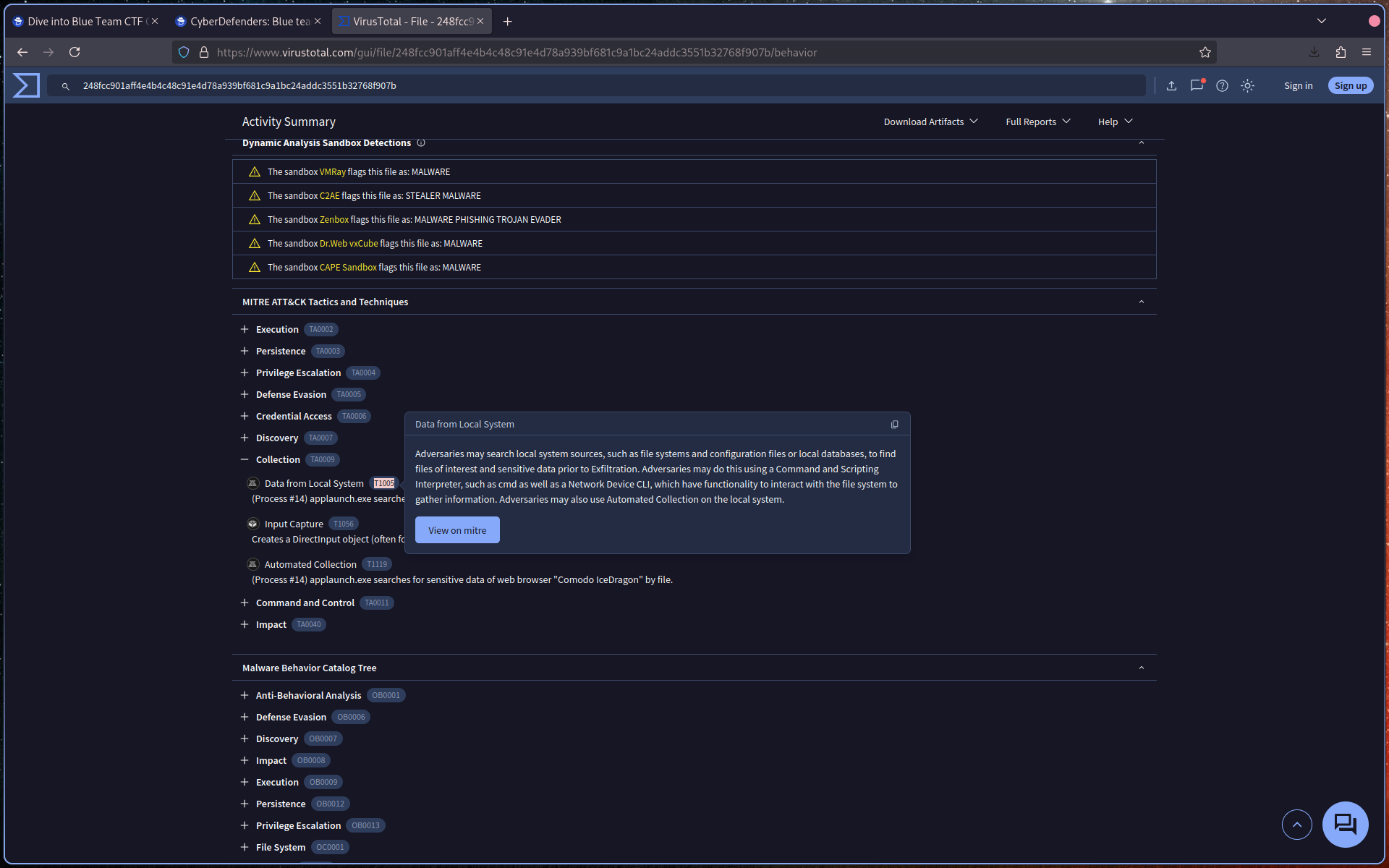
Identify the corresponding technique ID.
Q5: Following execution, what domain name resolution is performed by the malware?
In VirusTotal, review the DNS Resolutions section.
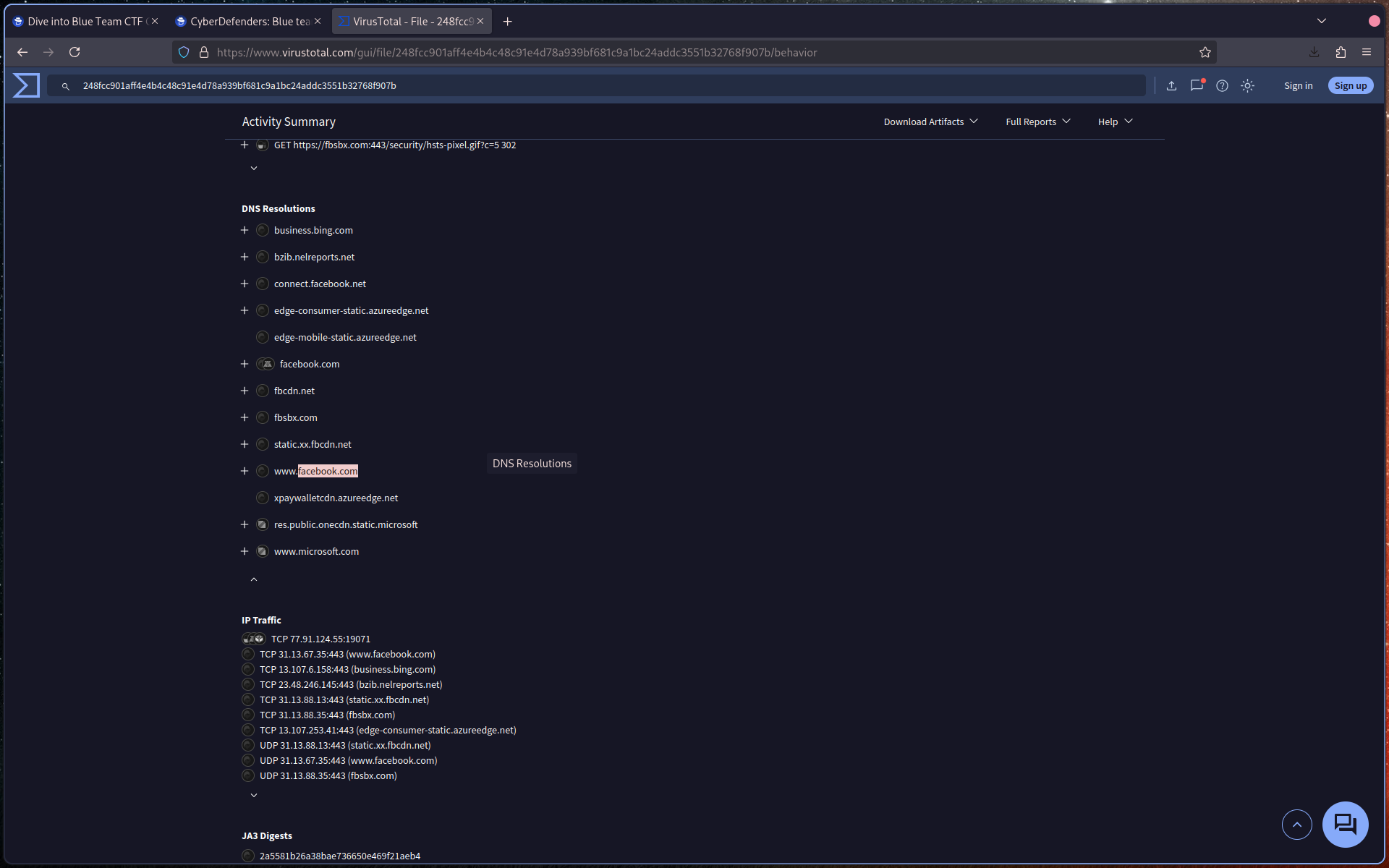
Identify the domain(s) queried by the malware.
Q6: Once the malicious IP addresses are identified, network security devices such as firewalls can be configured to block traffic to and from these addresses. Can you provide the IP address and destination port the malware communicates with?
In VirusTotal, check the IP Traffic section.
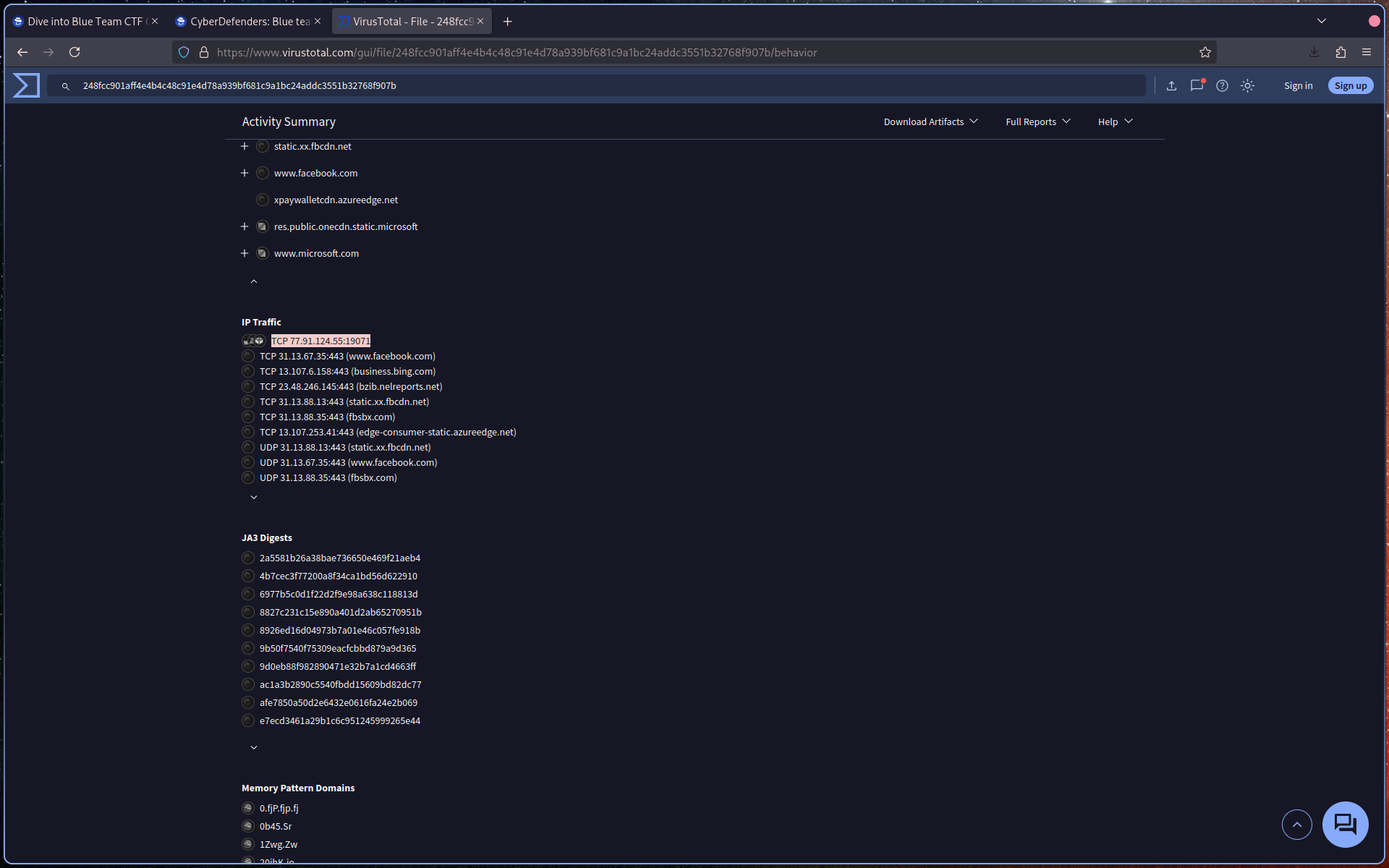
Identify:
- The malicious IP address
- The destination port
Q7: YARA rules are designed to identify specific malware patterns and behaviors. What’s the name of the YARA rule created by “Varp0s” that detects the identified malware?
Search for the sample on MalwareBazaar using:
sha256:<hash>
Navigate to the YARA section.
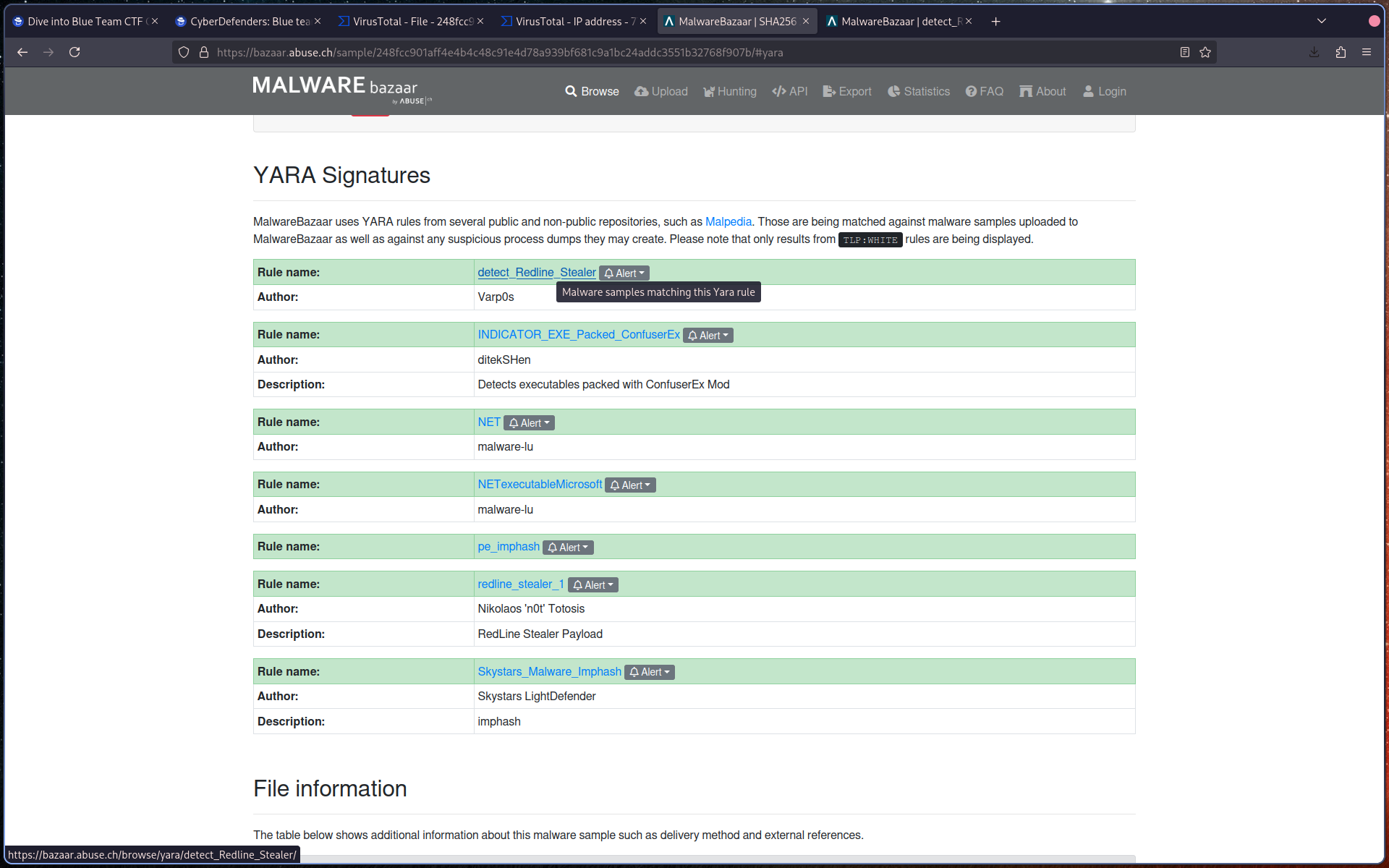
Identify the YARA rule authored by Varp0s.
Q8: Understanding which malware families are targeting the organization helps in strategic security planning for the future and prioritizing resources based on the threat. Can you provide the different malware alias associated with the malicious IP address?
Use ThreatFox and search with:
ioc:<IP>
Identify the different malware aliases associated with the IP address.
Q9: By identifying the malware’s imported DLLs, we can configure security tools to monitor for the loading or unusual usage of these specific DLLs. Can you provide the DLL utilized by the malware for privilege escalation?
Return to VirusTotal and review the Imports section.
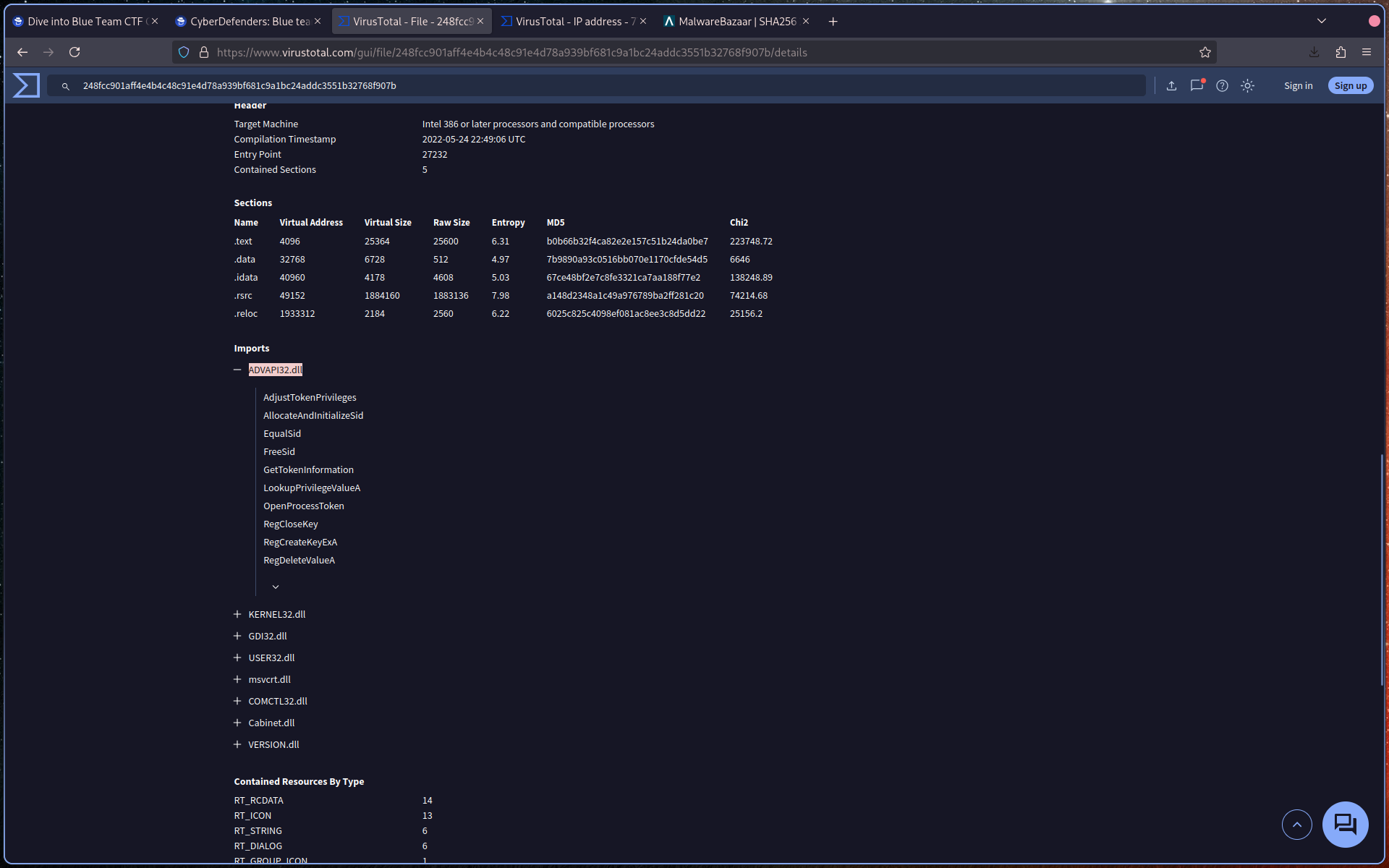
Identify the DLL associated with privilege escalation functions such as:
AdjustTokenPrivilegesGetTokenInformationLookupPrivilegeValueA