Q1: Analyzing Domain Controller Security Logs
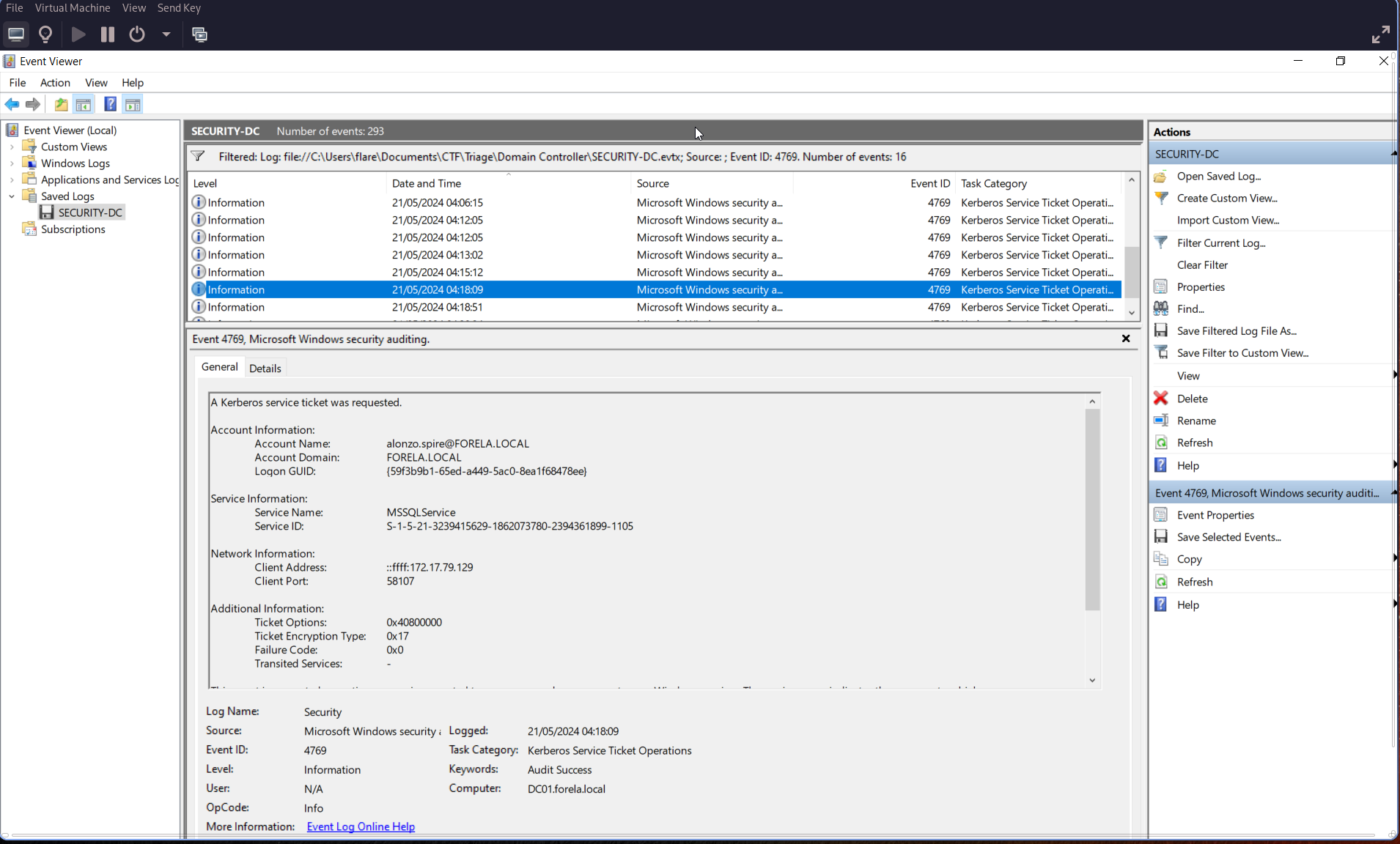
Can you confirm the date and time when the Kerberoasting activity occurred?
Open Event Viewer on the Windows VM and search for Event ID 4769.
🕒 Remember to convert your local time to UTC.
Q2: Targeted Service Name
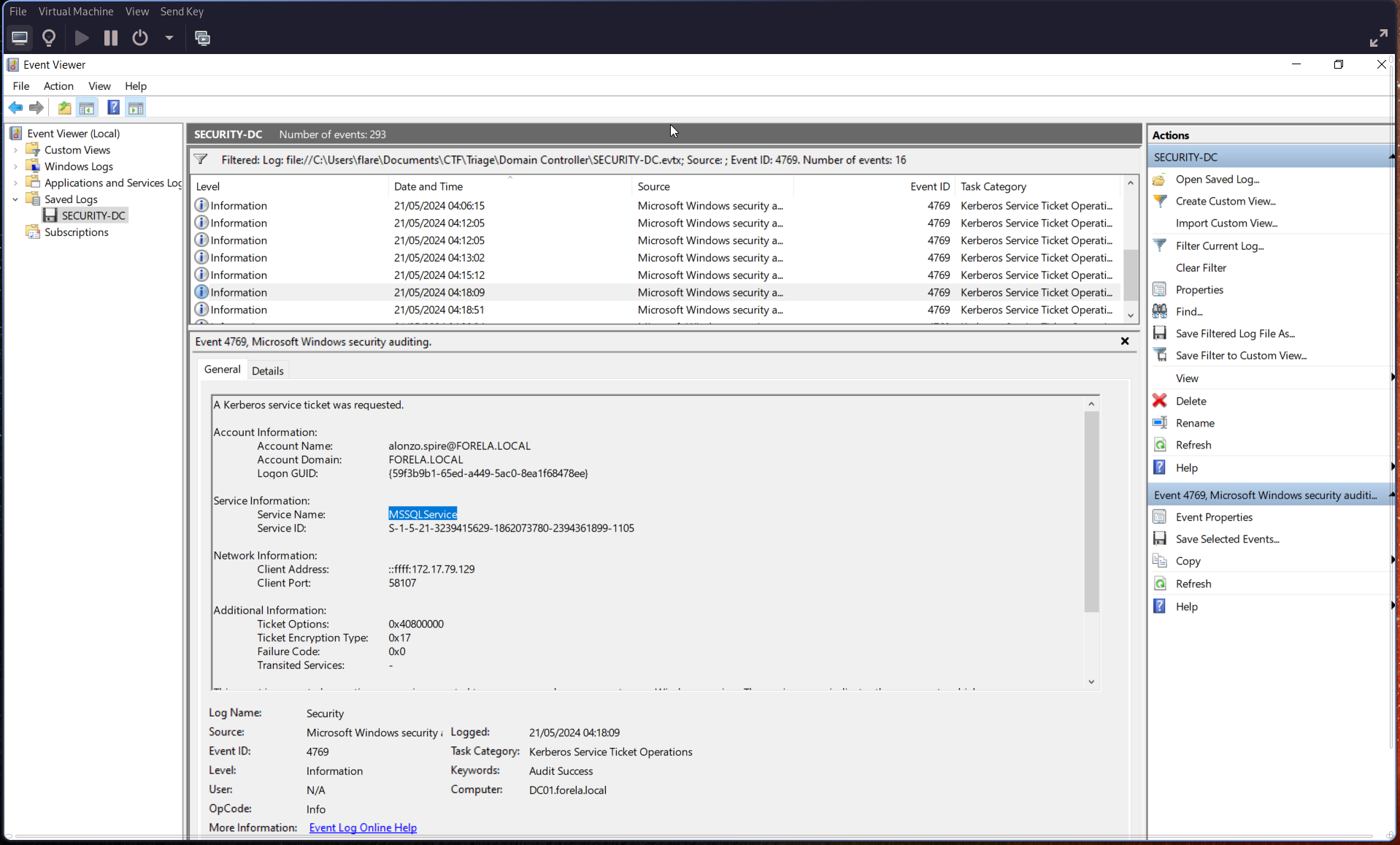
What is the Service Name that was targeted?
Check the “Service Information” section of the same event:
Q3: Workstation Identification
Identify the Workstation IP Address from which the activity originated.
In the same event, look under Network Information → Client Address:
Client Address:
172.17.79.129
Q4: Script Enumeration for Kerberoastable Accounts
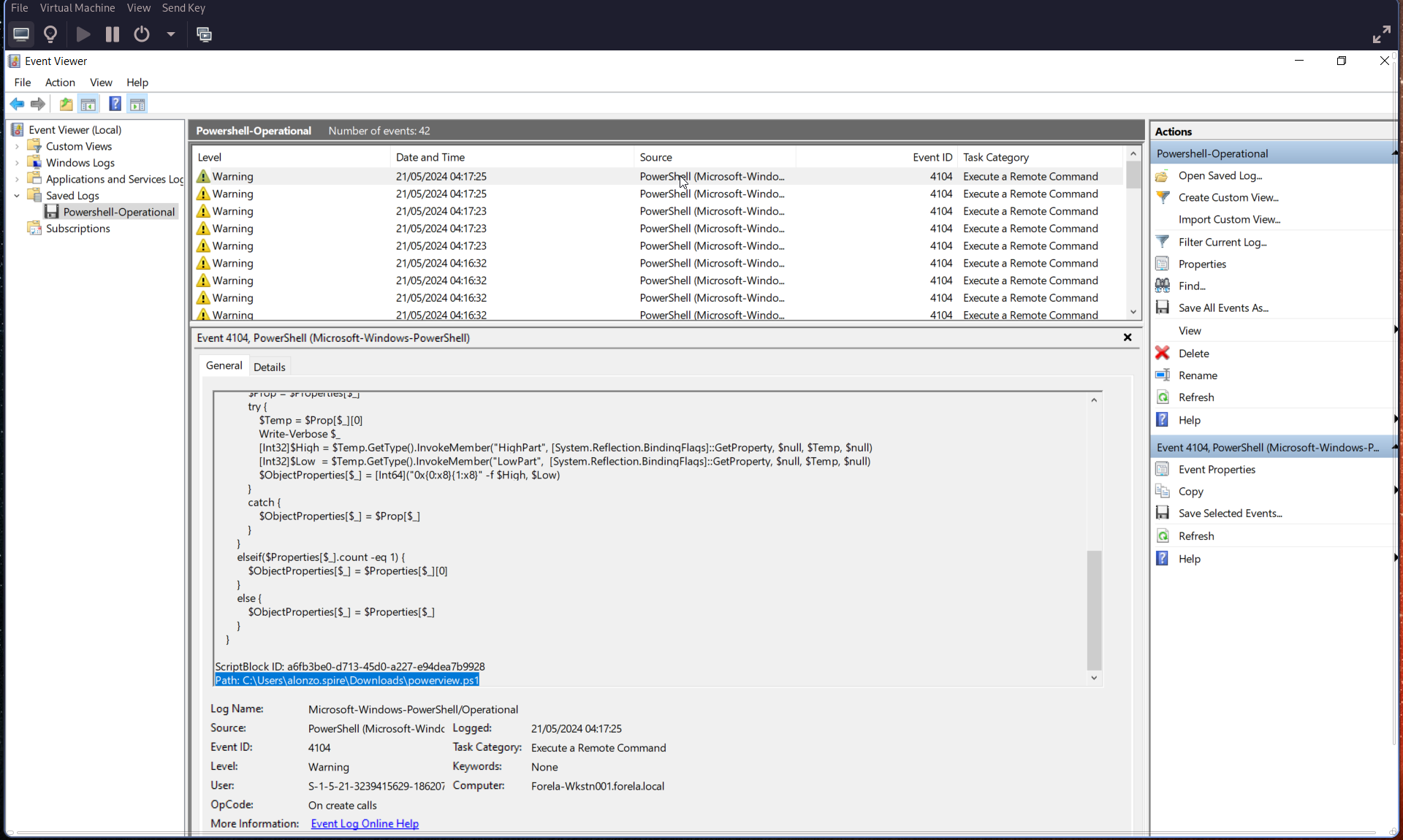
Now that we have the workstation, review the provided PowerShell logs and Prefetch files to understand how this activity occurred. We’re looking for the file used to enumerate Active Directory objects and find Kerberoastable accounts.
Search using Event ID 4104.
Q5: Script Execution Time
When was this script executed?
Refer again to Event ID 4104, and convert the timestamp to UTC.
🕒 Execution Time (UTC):
2024-05-21 03:16:32
Q6: Kerberoasting Tool Path
Determine the full path of the tool used to perform the actual Kerberoasting attack.
Use PECmd for Prefetch analysis.
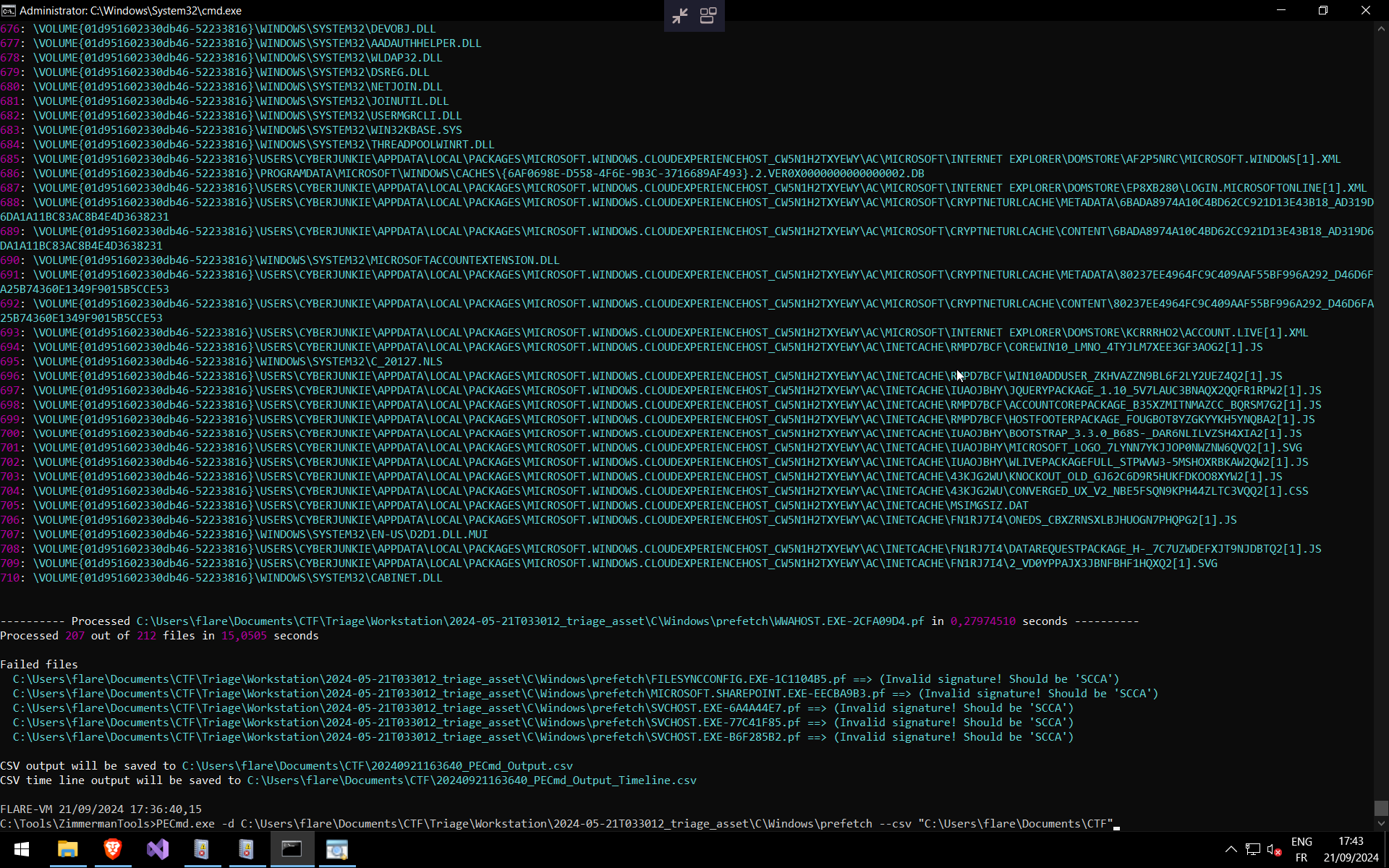
Then, open the exported timeline .csv using Timeline Explorer.
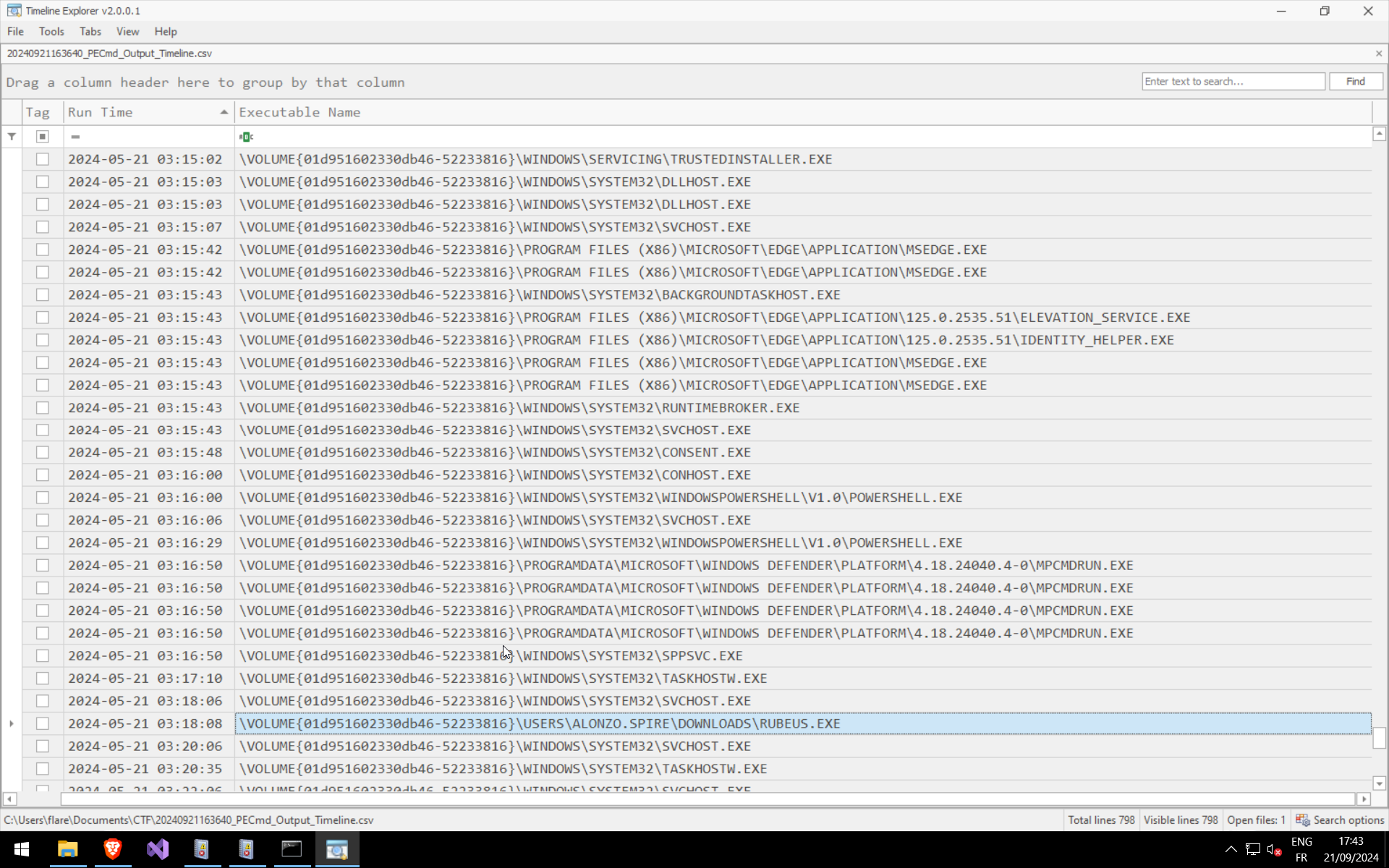
Q7: Tool Execution Time
When was the tool executed to dump credentials?
You can find this information in the previous screenshot (Prefetch timeline CSV output).