Q1: When utilizing ntdsutil.exe to dump NTDS on disk, it simultaneously employs the Microsoft Shadow Copy Service. What is the most recent timestamp at which this service entered the running state, signifying the possible initiation of the NTDS dumping process?
Open the SYSTEM.evtx log and search for Event ID 7036.
Use a search (Ctrl+F) for Volume Shadow Copy service events.
Identify the most recent entry where the service entered the running state and note the timestamp from the:
Logged field
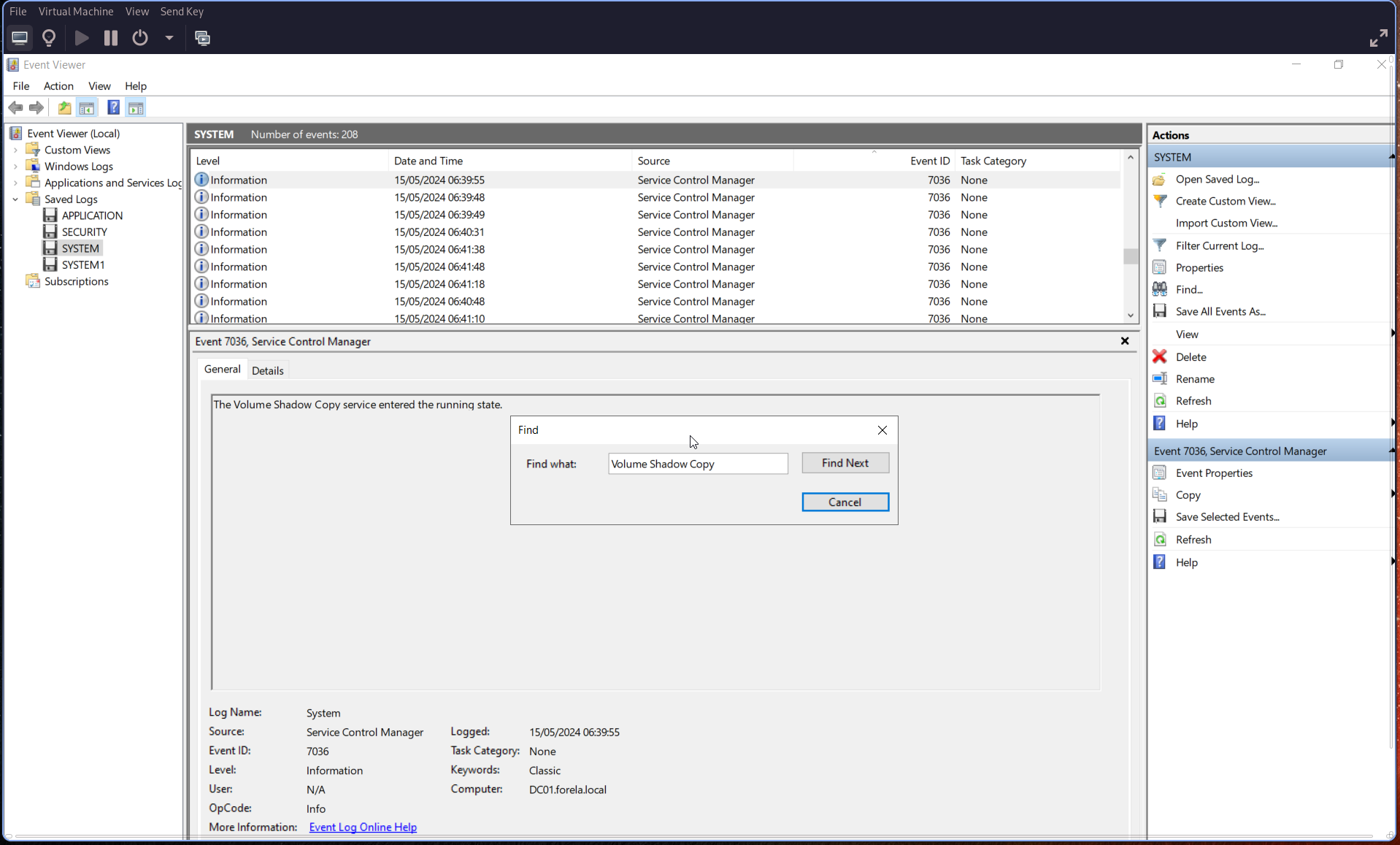
🕒 Convert the timestamp to UTC.
Q2: Identify the full path of the dumped NTDS file.
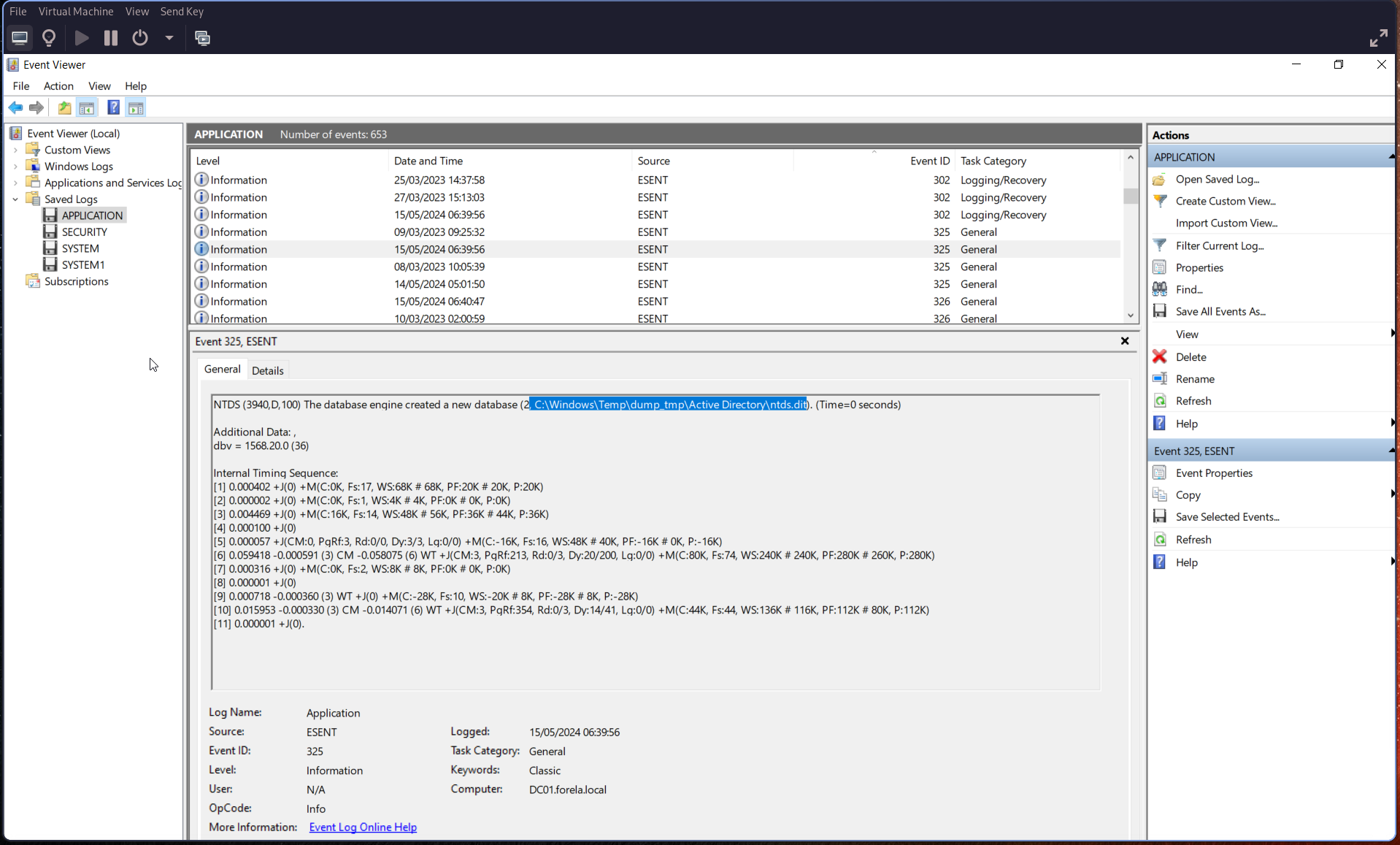
Search for ESENT-related events, which are tied to database operations.
Use Event ID 325, which indicates:
“The database engine created a new database”
This event includes the full file path of the dumped database.
Q3: When was the database dump created on the disk?
From the same Event ID 325, retrieve the timestamp from the:
Logged field
This indicates when the database dump was created.
Q4: When was the newly dumped database considered complete and ready for use?
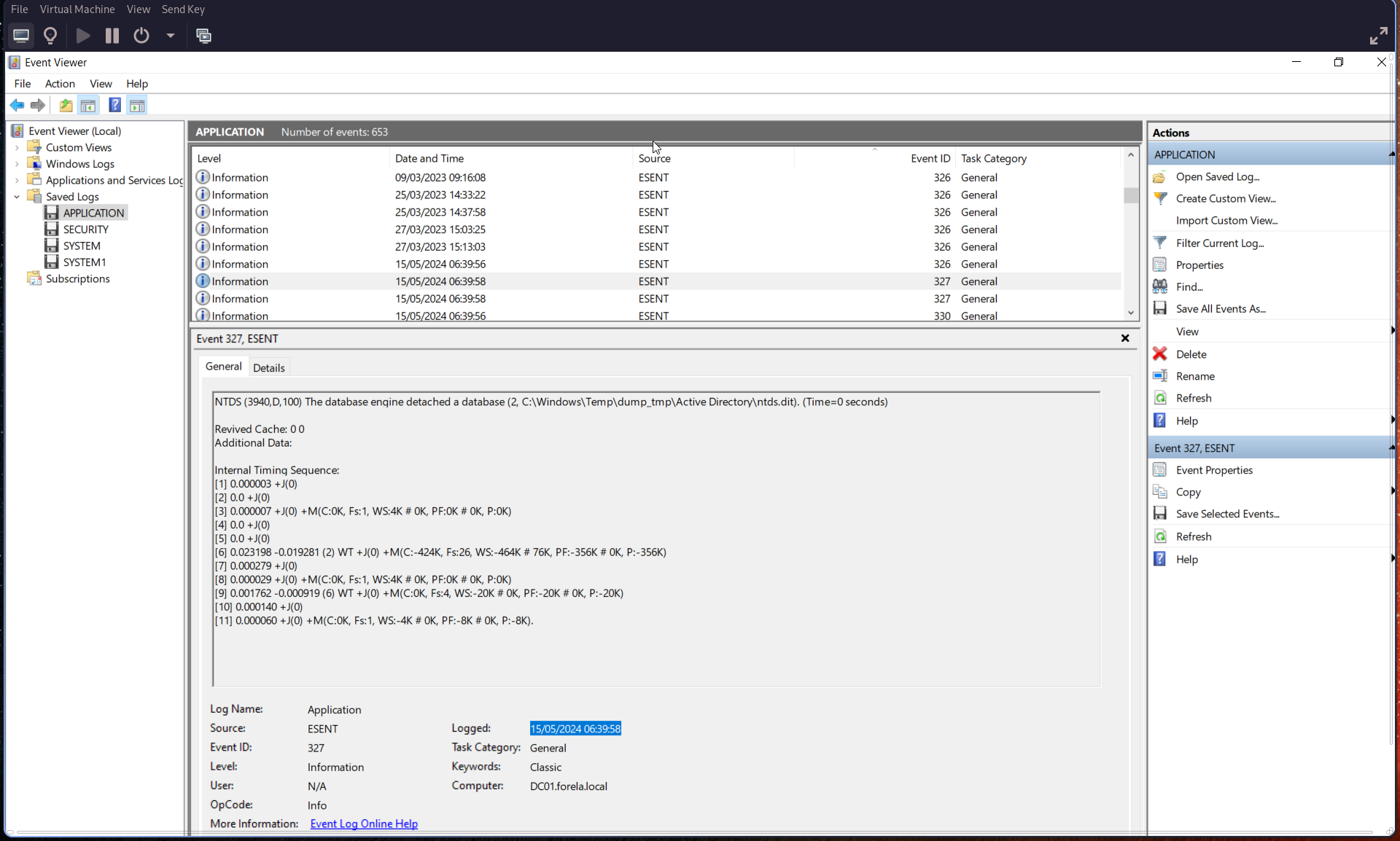
Search for Event ID 327, which indicates:
“The database engine detached a database”
This marks when the dump process completed and the database was ready for use.
Q5: Event logs use event sources to track events coming from different sources. Which event source provides database status data like creation and detachment?
Check the Source field in the relevant events.
Event Source:
ESENT
This source is responsible for logging database creation, usage, and detachment events.
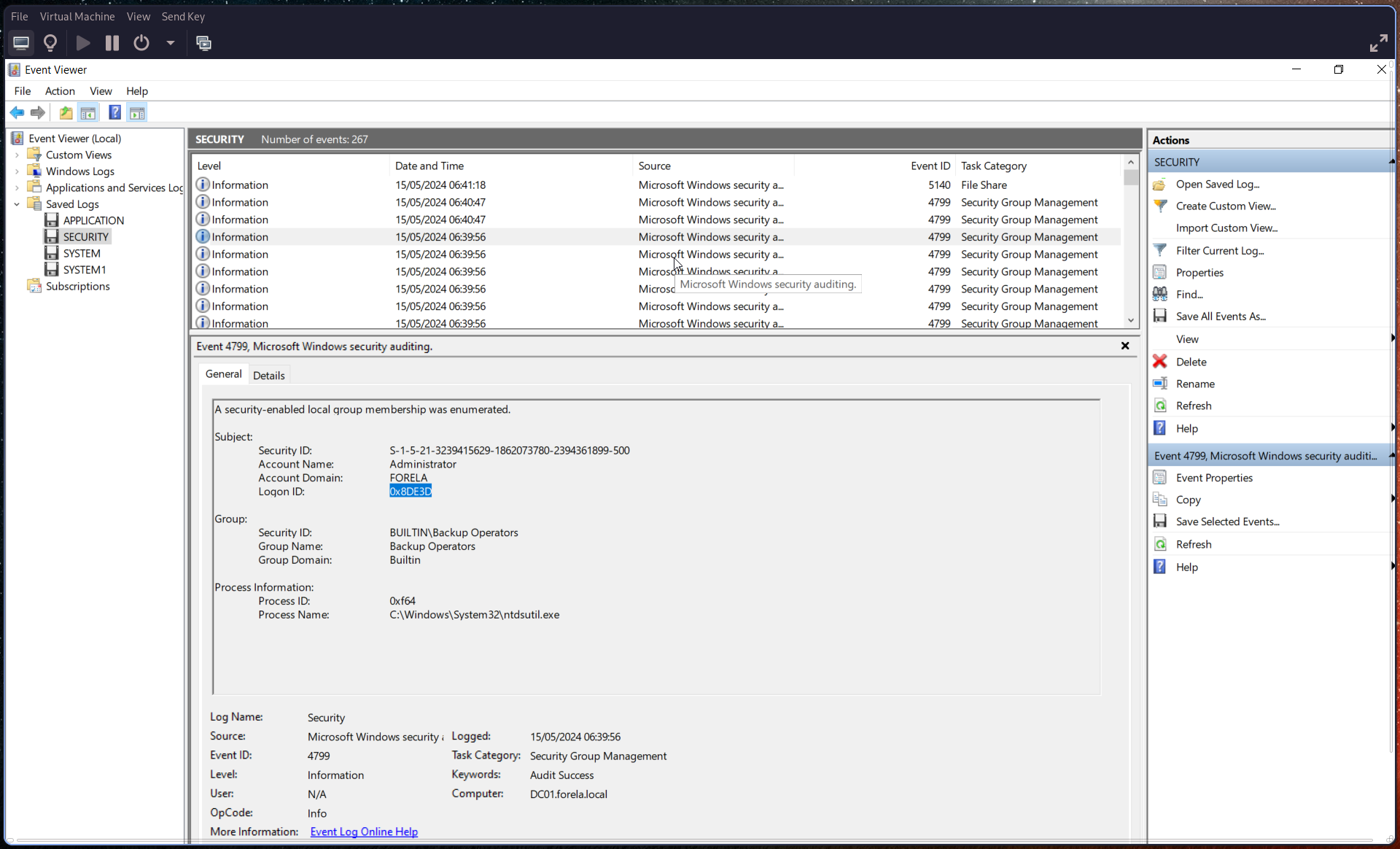
Q6: When ntdsutil.exe is used to dump the database, it enumerates certain user groups to validate the privileges of the account being used. Which two groups are enumerated by the ntdsutil.exe process? Also, find the Logon ID so we can easily track the malicious session in our hunt.
Search for Event ID 4799 and filter for:
Process Name:
ntdsutil.exe
From this event, identify:
- The two enumerated user groups
- The Logon ID
Q7: Now you are tasked to find the Login Time for the malicious Session. Using the Logon ID, find the Time when the user logon session started.
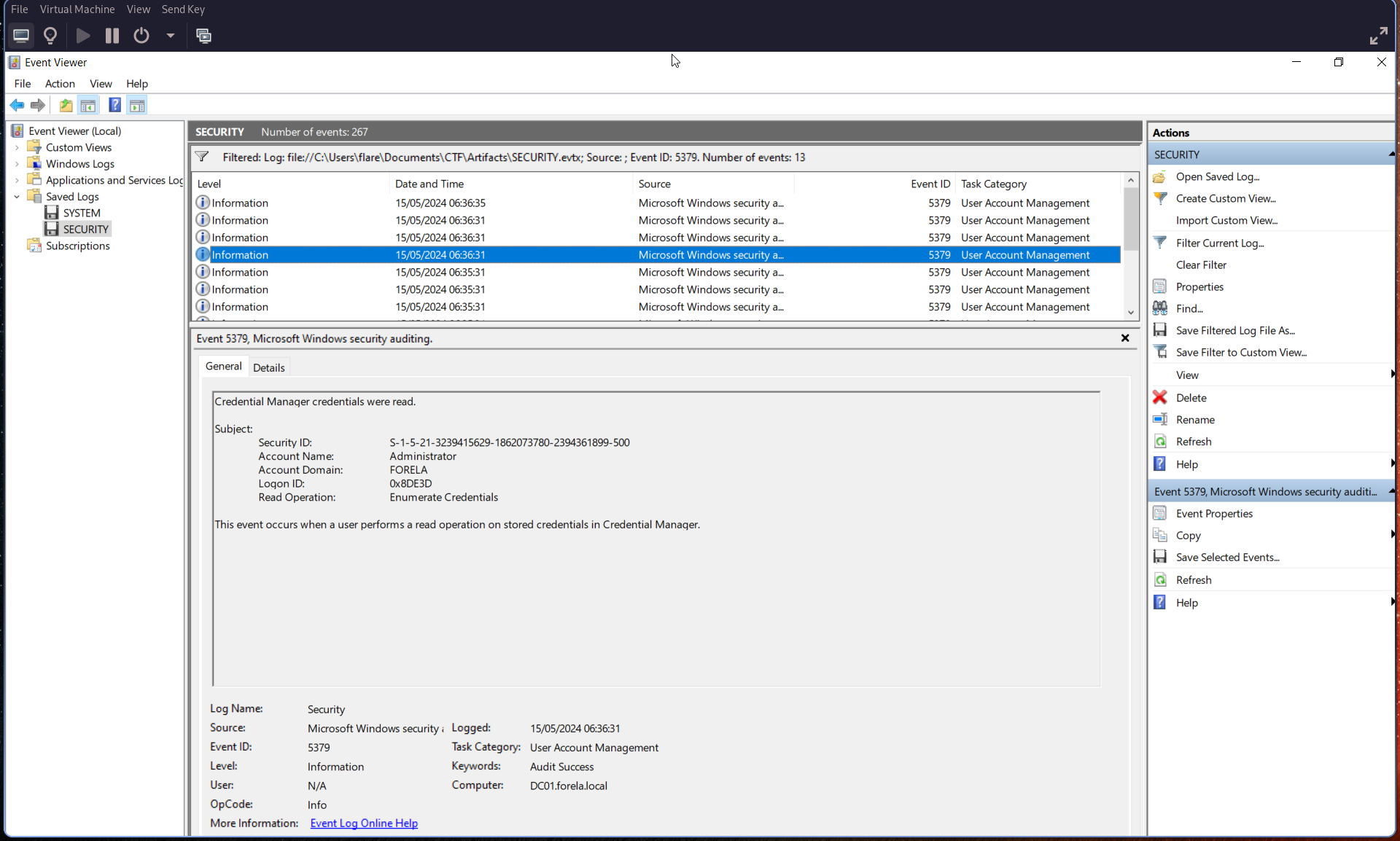
Search for Event ID 5379.
Using the Logon ID identified in the previous step, correlate the event and extract the timestamp from the:
Logged field
This represents the start time of the malicious logon session.