Q1: IP Address of Forela-Wkstn001
What is the IP address of Forela-Wkstn001?
🔎 See Q2 for the analysis steps.
Q2: IP Address of Forela-Wkstn002
What is the IP address of Forela-Wkstn002?
Note: NetworkMiner requires .pcap format. Convert the file if needed:
tshark -F pcap -r ntlmrelay.pcapng -w ntlmrelay.pcap
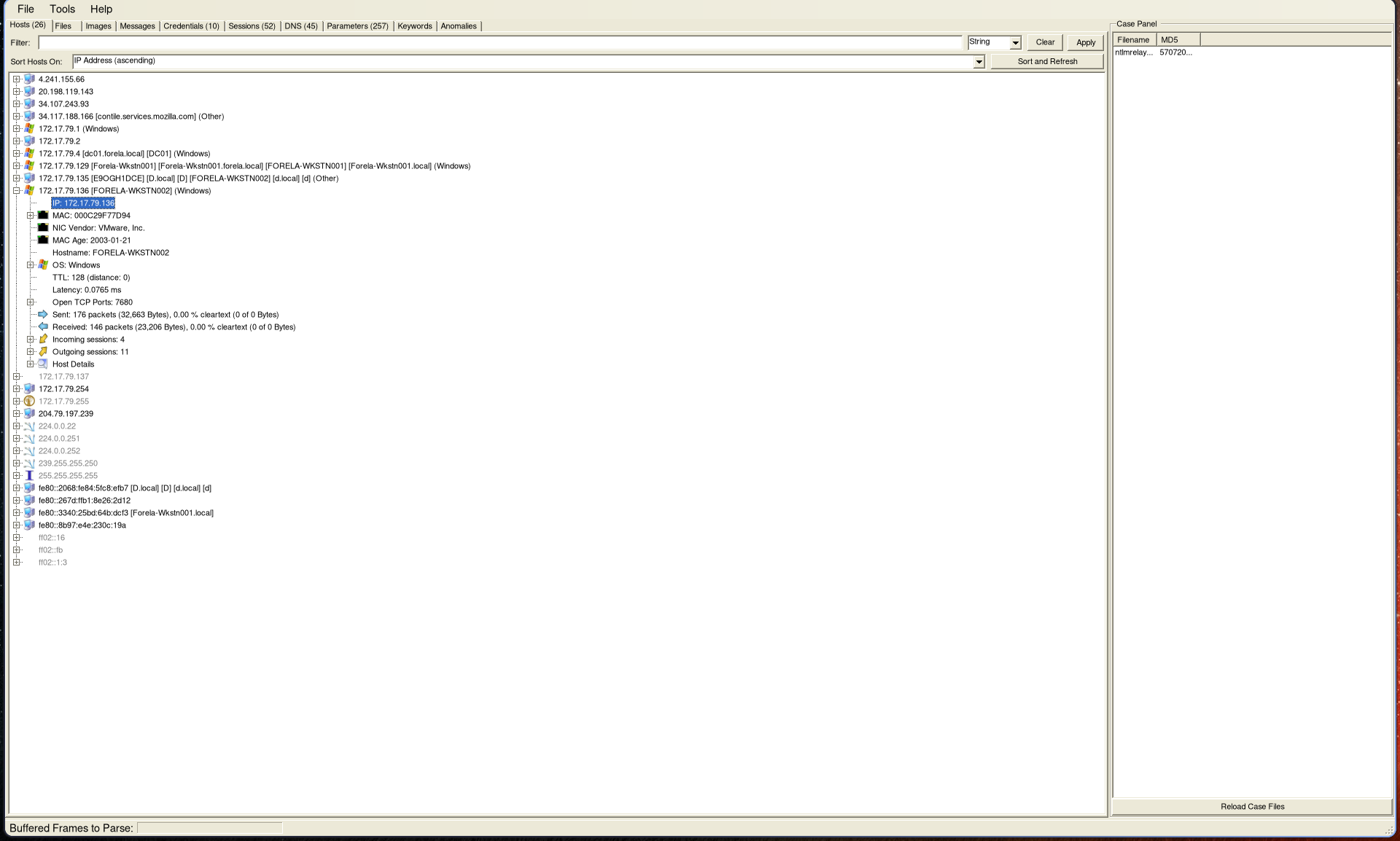
Open the capture in NetworkMiner to get an overview of network activity. Both workstation IP addresses can be identified here:
Q3: Compromised User Account
Which user account hash was stolen by the attacker?
🔎 See Q4 for details.
Q4: Attacker Device IP Address
What is the IP address of the unknown device used by the attacker to intercept credentials?
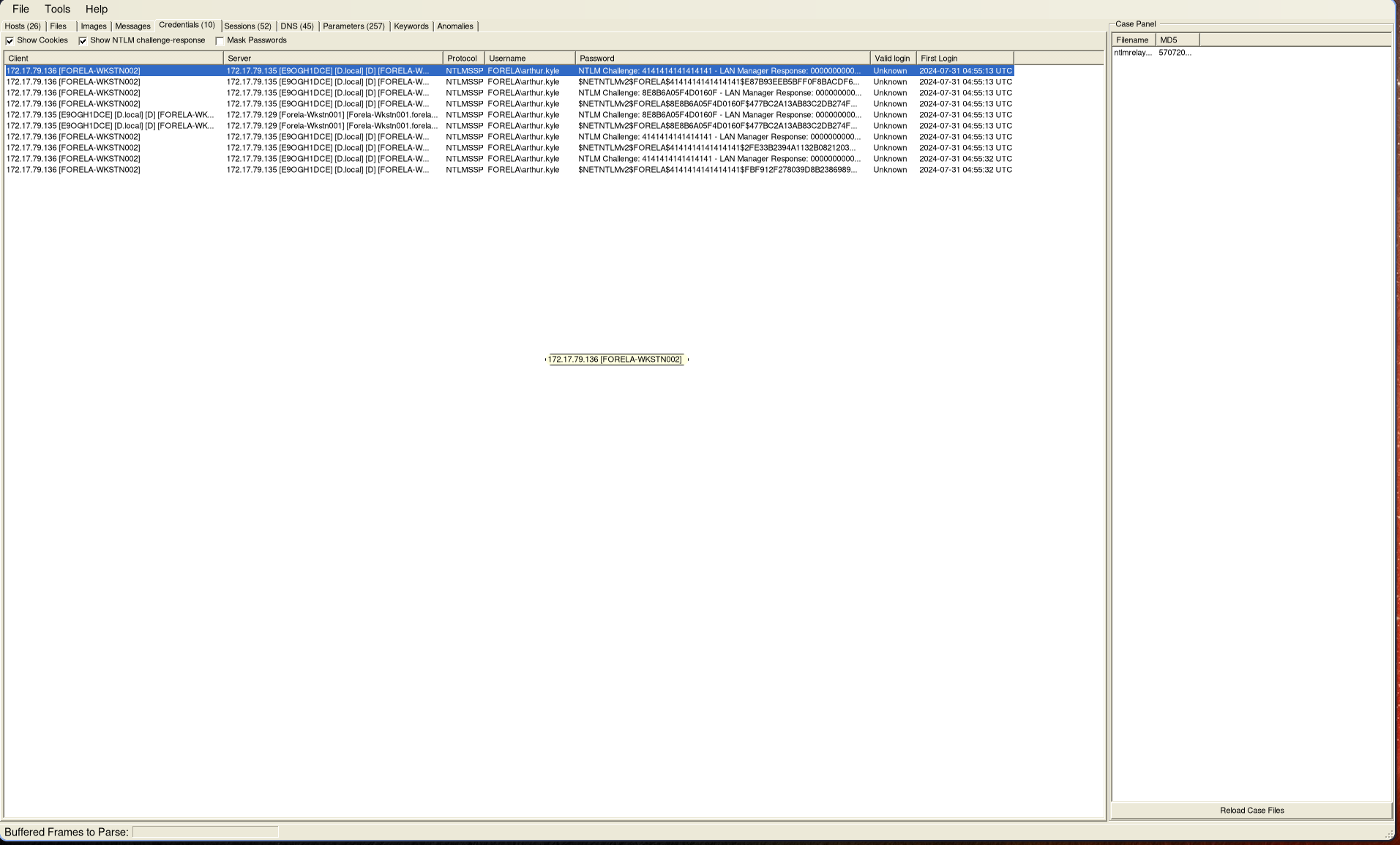
Navigate to the Credentials tab in NetworkMiner to identify:
- The compromised user account
- The attacker’s IP address
Q5: Accessed Fileshare
What fileshare was accessed by the victim user account?
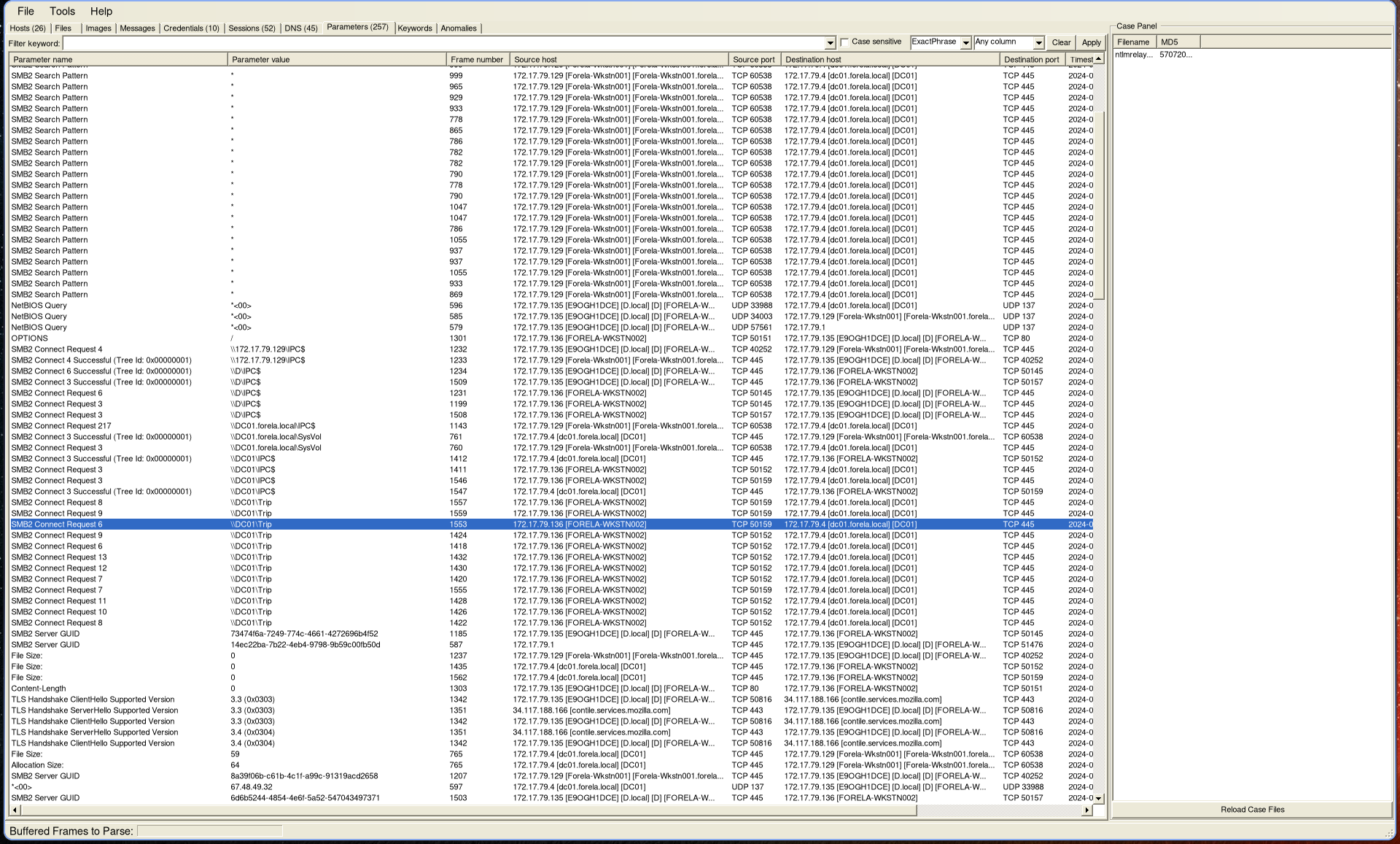
Switch to the Parameters tab and filter for SMB2 requests.
Only one directory was accessed:
Q6: Source Port Used
What is the source port used to log on to the target workstation using the compromised account?
🔎 See Q7 for details.
Q7: Malicious Session Logon ID
What is the Logon ID for the malicious session?
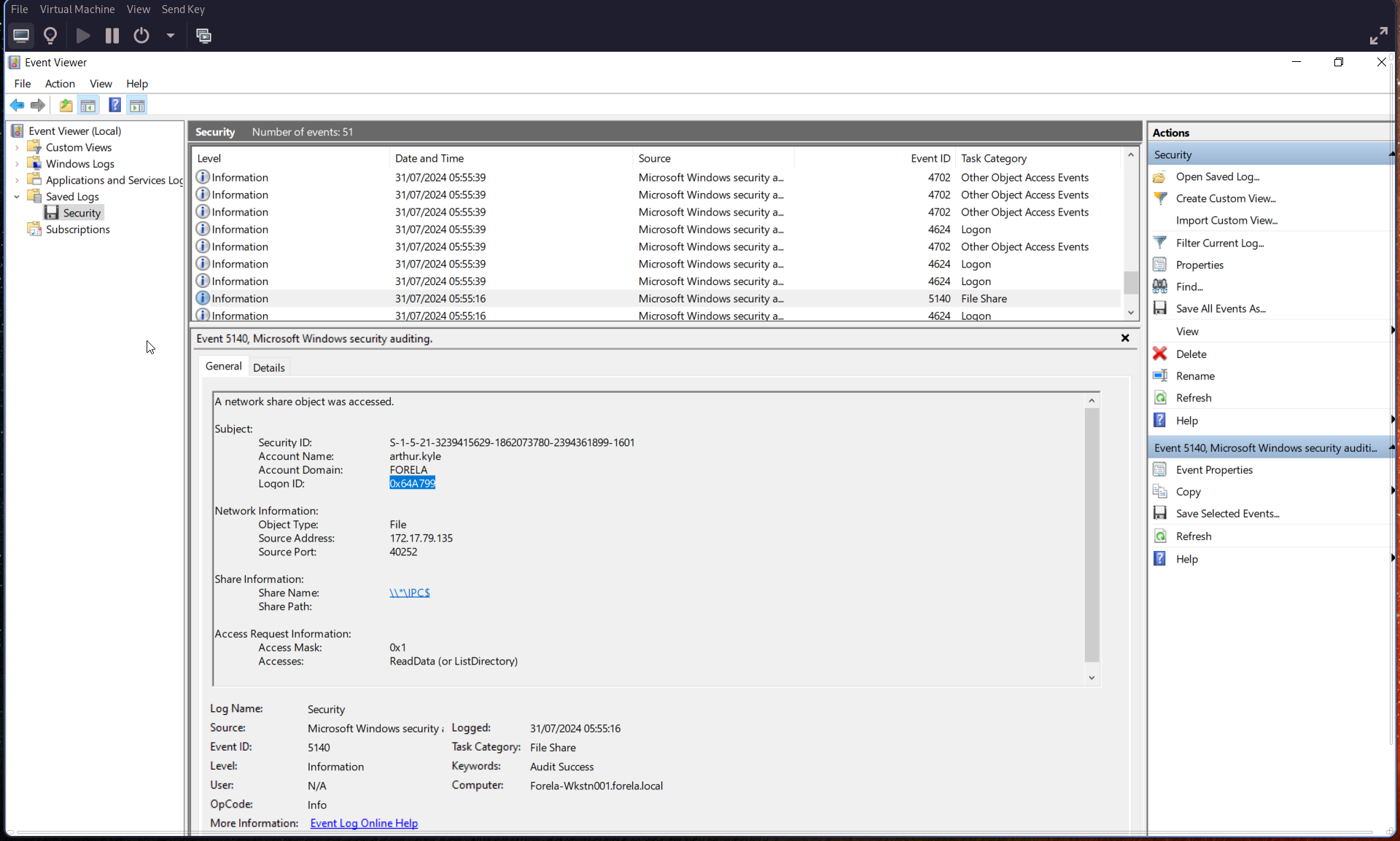
Open security.evtx and inspect Event ID 5140 (network share object).
From this event:
- Extract the Logon ID (in hexadecimal)
- Identify the source port (used for Q6)
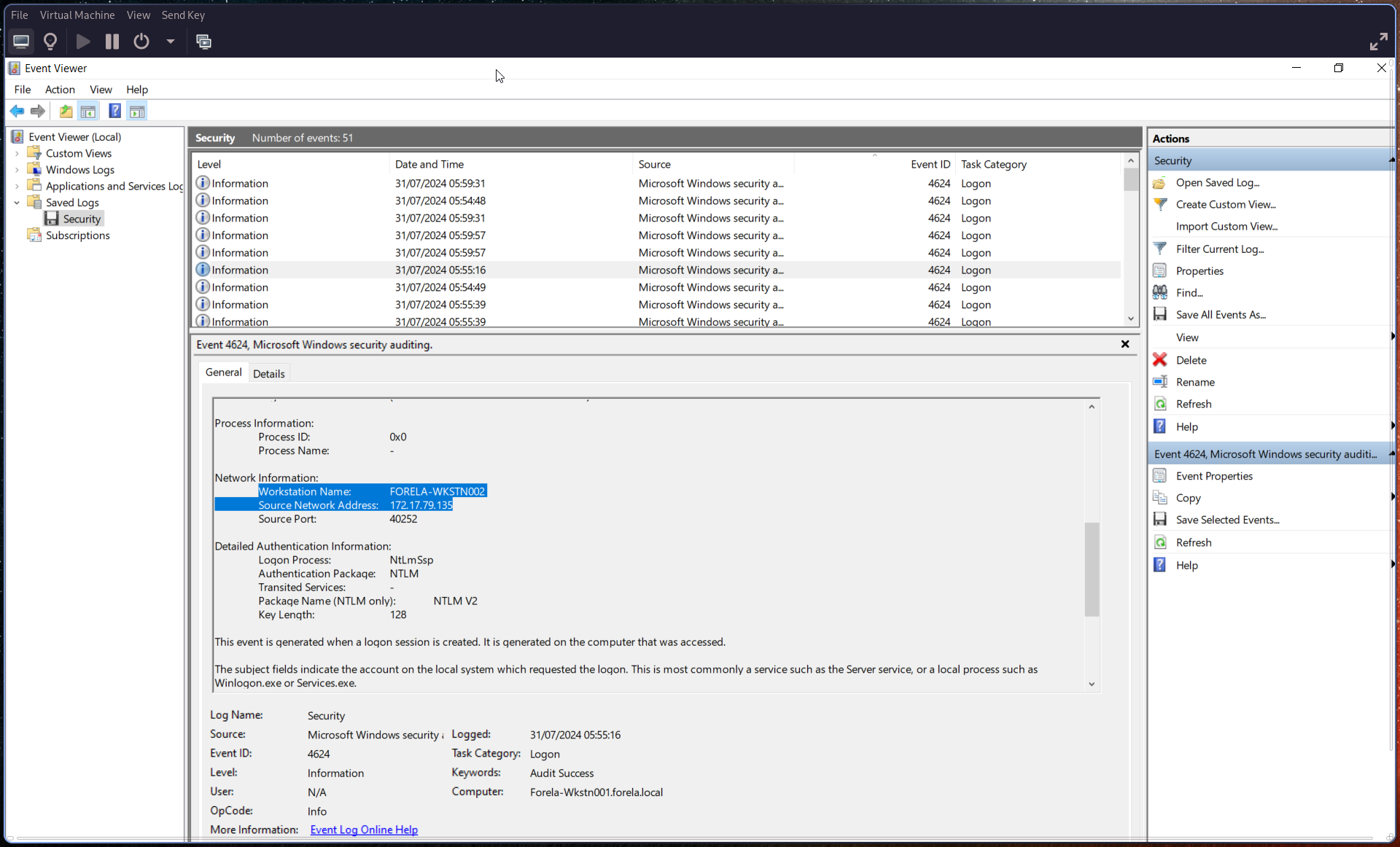
Q8: Suspicious Logon Details
The detection is based on a mismatch between hostname and assigned IP address. What are:
- The workstation name?
- The source IP address used during the malicious logon?
🔎 See Q9 for details.
Q9: Malicious Logon Timestamp
When did the malicious logon occur? Ensure the timestamp is in UTC.
Check Event ID 4624 (logon event).
Key indicators:
- Logon ID
0x0 - Security ID
NULL - Associated user:
arthur kyle
This event provides:
- Timestamp (convert to UTC)
- Workstation name
- Source IP address
Q10: Accessed Share Name
What is the share name accessed during authentication by the malicious tool?
Refer back to Event ID 5140 (see Q6/Q7) to identify the share name.